Four-way split view
Encode one image with up to four codecs and see the decoded results as aligned quadrants. Drag to move the split, hold Space to see the original, and zoom to 800% to pixel peep.



See exactly how JPEG XL, AVIF, WebP and JPEG/li compress an image, side by side and pixel for pixel.
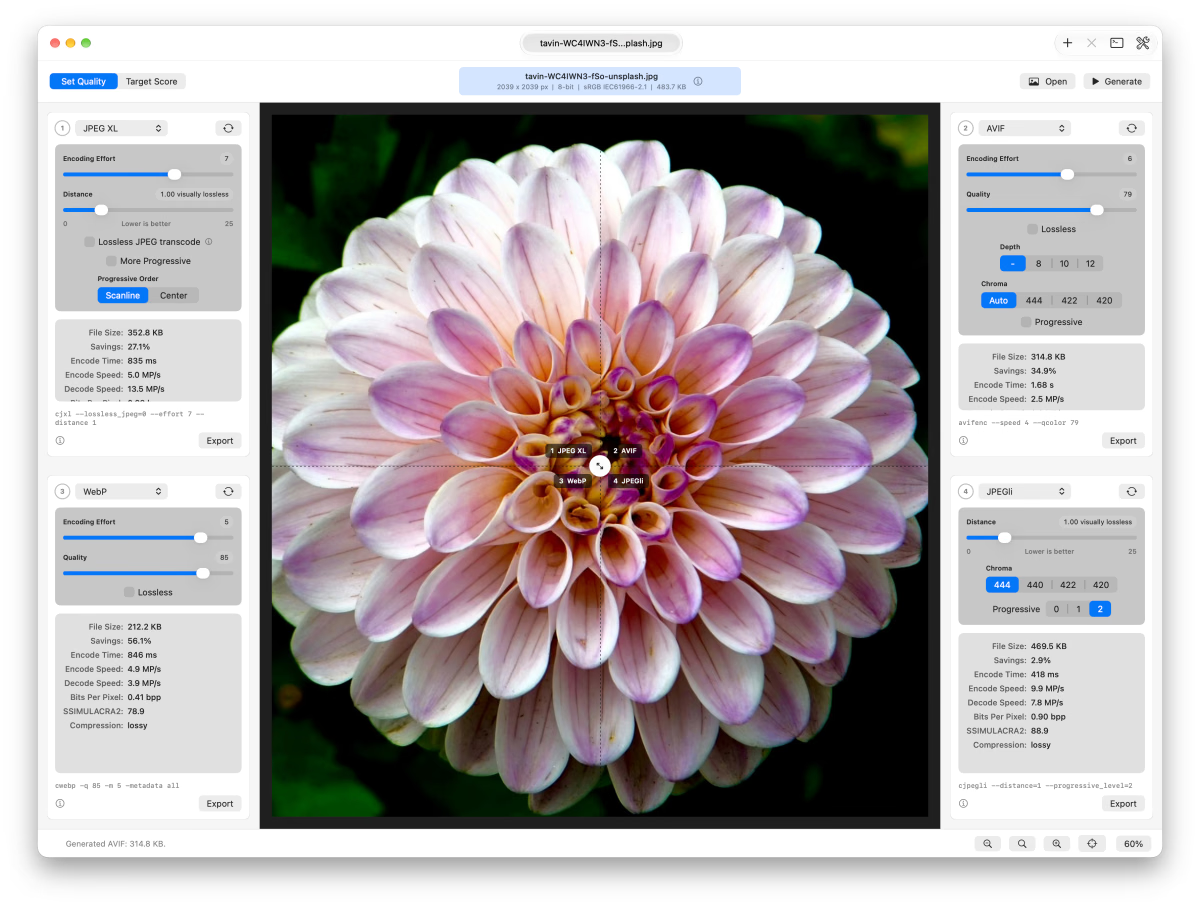
Encode one image with up to four codecs and see the decoded results as aligned quadrants. Drag to move the split, hold Space to see the original, and zoom to 800% to pixel peep.
Hold Shift to show an amplified difference map. Black pixels are identical, brighter pixels differ more, and the color shows which channels changed. Boost the gain up to 32×.
Each panel reports encoded file size, savings against the original, bits per pixel, encode and decode speed, and a SSIMULACRA2 quality score.
Target Score mode targets a specific desired SSIMULACRA2 score, so equal quality can be compared across encoders.
Tune distance, quality, effort, chroma subsampling, bit depth, progressive and lossless modes. Each control explains the encoder option it changes, and the command console shows the exact commands that ran.
Transcode an existing JPEG as JPEG XL without losing a single pixel, and see how much smaller it gets. Export any result to keep the encoded file.
Apple’s built-in encoders work as soon as you open the app, and the open-source JPEGli and jixel encoders come included. The rest use free, open-source command-line encoders, installed with Homebrew. The Required Tools window lists what’s installed and gives you the command for anything missing.
brew install jpeg-xl libavif webp libheif jpeg-turbo exiftooljixel uses the JPEG XL package’s decoder, so install JPEG XL to use it. JPEG 2000 needs a libheif build that includes its OpenJPEG plugin.
Need help getting going? Read the pXL Compare support page.
 Support us on Ko-fi(opens in a new tab)

A Mac photo converter for batches of images, with Finder quick actions, resizing, and quality targets. Built on the same encoding engine as pXL Compare.